
Help and FAQ
How can we help?
Signing in, linking your child, the browser app and getting in touch. There’s more help inside the app: open Profile, then Help.
Signing in
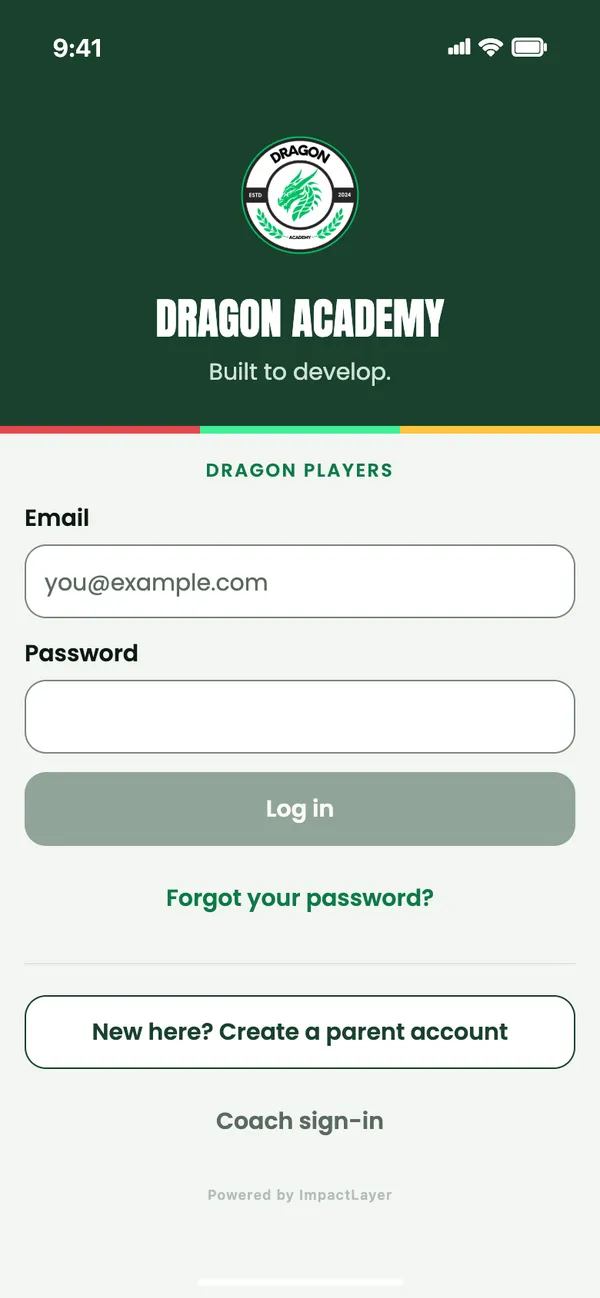
How do I sign in?
Use the email and password you use in Dragon Players, in the phone app or at dragonplayers.co.uk/app. Your linked children and their progress come with you.
Is my Dragon Academy website password the same?
No. Joining Dragon Academy on its website doesn’t create a Dragon Players password. New families create a parent account in Dragon Players, then link their child.
I’ve forgotten my password.
On the sign-in screen, tap Forgot your password? and enter your account email. We’ll email you a six-digit code to set a new password. Check your junk folder if it doesn’t arrive.
Do children have their own sign-in?
A child can sign in with a player login of their own. It shows their dragon and the fun parts of the app, never the Inbox, Premium or membership pages. See what children see.
Linking your child
How do I link my child?
Start with one parent account, then link your child’s Dragon with the guided steps. Use their first and last name, current area and Dragons group, then check the confirmation carefully before linking.
The app can’t find my child. What now?
If no safe match is found, tap Request help with these details. Staff check the record and reply on the same screen: tap Check for reply, or come back later. Put their one-use code in Enter staff code.
Please don’t create a second Dragon for an academy player. While the coaches check a new link, academy features stay locked.
How do I add a brother or sister?
Use Add a Dragon in the child switcher, or Add or link another Dragon in Profile. You don’t need another parent account. Tap your child’s name at the top of the screen to switch between them.
I can’t see my child’s progress.
Check the right child is selected at the top of the screen: progress, favourites and records are kept separately for each Dragon. Please don’t create a second Dragon for an academy player. If something still looks wrong, contact the academy.
The browser app
Can we use Dragon Players in a browser?
Yes. Go to dragonplayers.co.uk/app and sign in with the same Dragon Players account. On a laptop, the app shows in a phone-width column.
What’s different in the browser?
There are no push notifications and no purchases: Premium is bought in the phone app. The 3D cave and games need a browser with WebGL 2. Without it, the cave shows a still picture instead.
Is it safe on a shared computer?
Your sign-in is kept in a secure cookie that the page’s scripts can’t read. Signing out clears it, and everything the app stored in that browser.
Using the app
How do we get the new Dragon Players?
The new Dragon Players is on its way to the App Store and Google Play. When it arrives, update the app as usual. Your account, linked children and progress are kept. The browser app always runs the latest version.
How does my child earn XP?
From real activity: academy sessions, Player of the Week, Learn, home training and the skill of the week. Game scores never give XP, and nothing can be bought to grow the dragon. How the app links to sessions.
Does Going on the app mark my child as there?
No. Going, Maybe and Can’t make it help the coaches plan. The coaches record who was there, and the weekly streak follows recorded attendance.
Does Premium change their progress?
No. Medals, trophies, XP, stages and League places are never for sale. What Premium adds.
Who can see my child’s information?
Personal information sits behind sign-in. Other families see a first name and surname initial only, and you choose whether your child’s name shows on leaderboards and cave visits. This website doesn’t show any player records. Read the privacy notice (opens in a new tab).
Contact the academy
In the app
Parents can message their child’s coaches from the Inbox at the top right of the app.
On the academy website
For bookings, membership and anything else, get in touch with Dragon Academy through its website.
Dragon Academy website (opens in a new tab)