
For parents
Built for children. Run by parents.
How the app links to real sessions, the rules that keep it safe, and what your child sees.
Real sessions
The dragon grows from real football.
Dragon Players follows what happens at Dragon Academy. The coaches record it; the app turns it into progress your child can see.
You link your child
Create one parent account and link your child with the guided steps: their name, area and Dragons group. The academy checks a new link before academy features open. Brothers and sisters go on the same account.
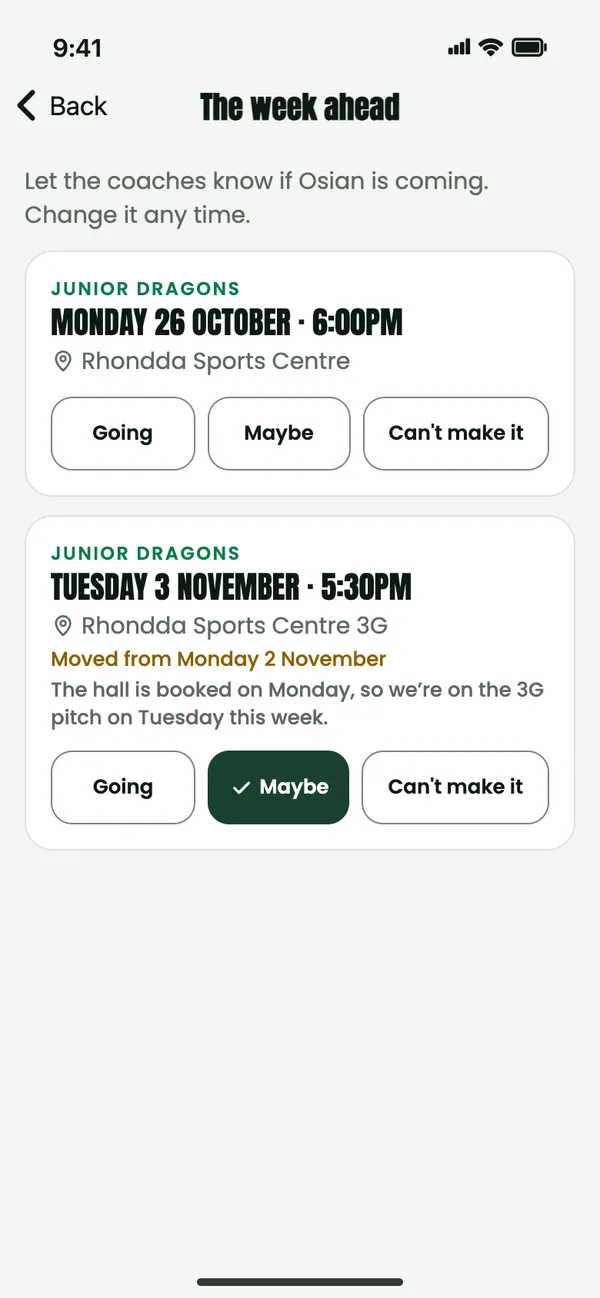
You say if you’re coming
Answer Going, Maybe or Can’t make it for each session in the week ahead. It helps the coaches plan. It doesn’t mark attendance.
The coaches record the session
The coaches record who was there, pick Player of the Week and give coach awards. Then the session recap appears on Home.
Their dragon grows
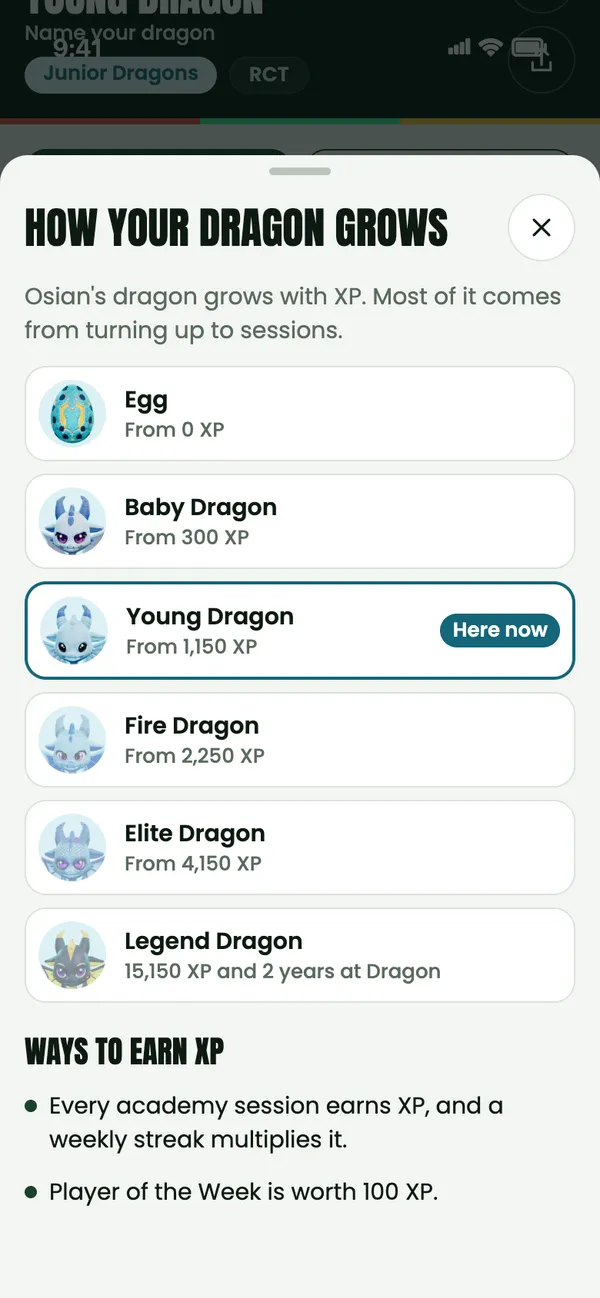
Sessions, Player of the Week, Learn, home training and the skill of the week give XP. XP grows the dragon through six stages, from Egg to Legend, and medals fill the shelves. After a session, the walkout shows what it earned.
Privacy and safety
The rules are built in.
Families don’t have to police them. The app does.
No photos of children in Stories
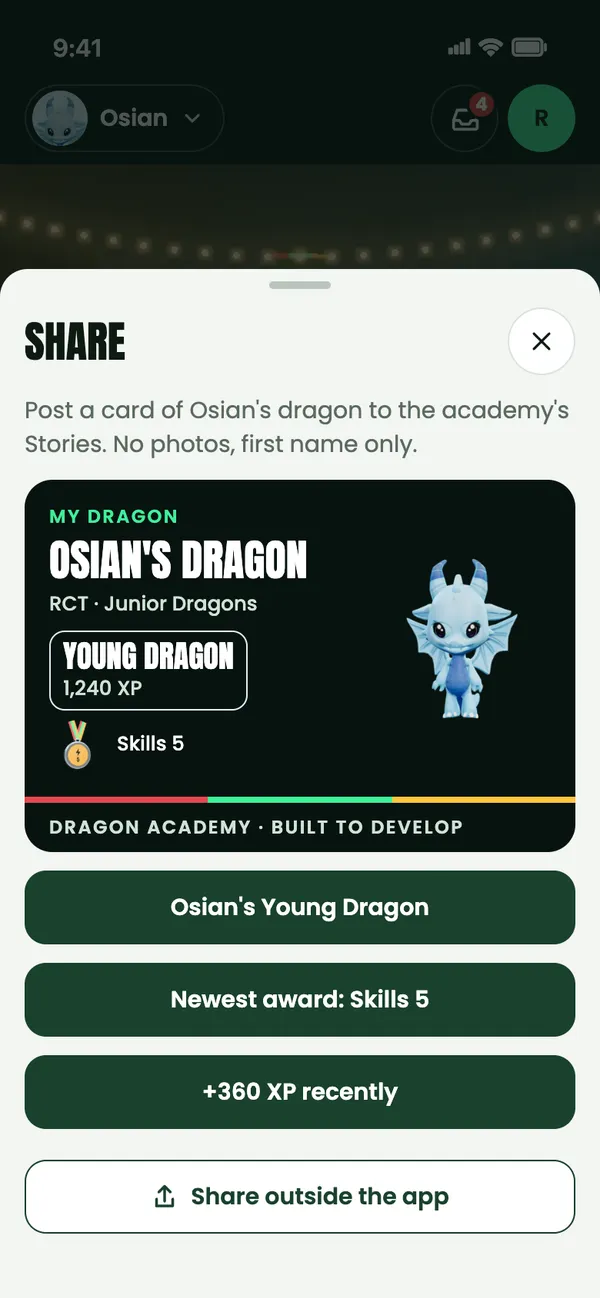
Stories are made from what the app already has: their dragon, medals and records. They never use photos or the camera, and there’s no typing. Captions come from a list.
Recap photos need consent
Session recaps from the coaches only include photos where families have given photo consent.
First name and initial only
Other families see a first name and surname initial. Nothing more, and never where you live.
Names hidden on request
In Profile you choose, for each child, whether their name shows on leaderboards and cave visits.
No chat for children
Cave visits are waves, high fives and celebrations. No text, no voice, no photos. Messages with the coaches are for the parent account only.
Parents approve every cave friend
Invites last 7 days. You can remove a friend, block a family or switch cave visits off in Profile.
Reactions, not comments
Academy posts and Stories have reactions only. There are no comments. You can report a Story or hide a family’s Stories.
No buy prompts for children
Children never see a buy button or an “ask a parent” message. Premium is bought by a parent, from the parent account.
Progress is never for sale
Medals, trophies, XP, stages and League places can’t be bought.
What children see
Their side of the app.
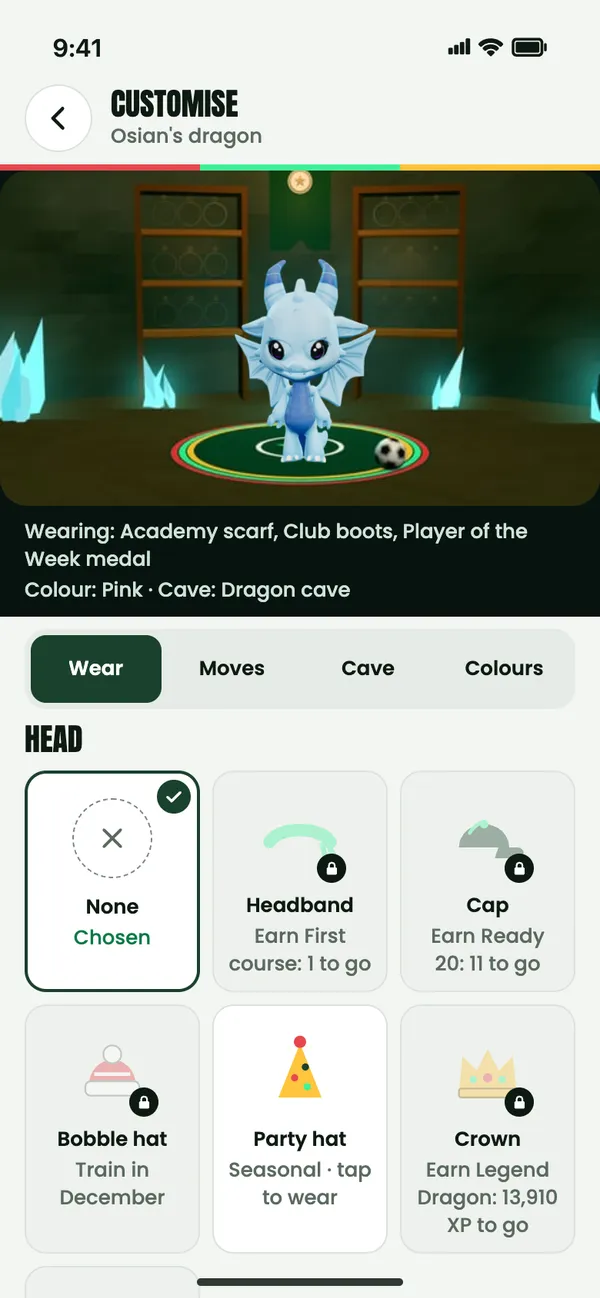
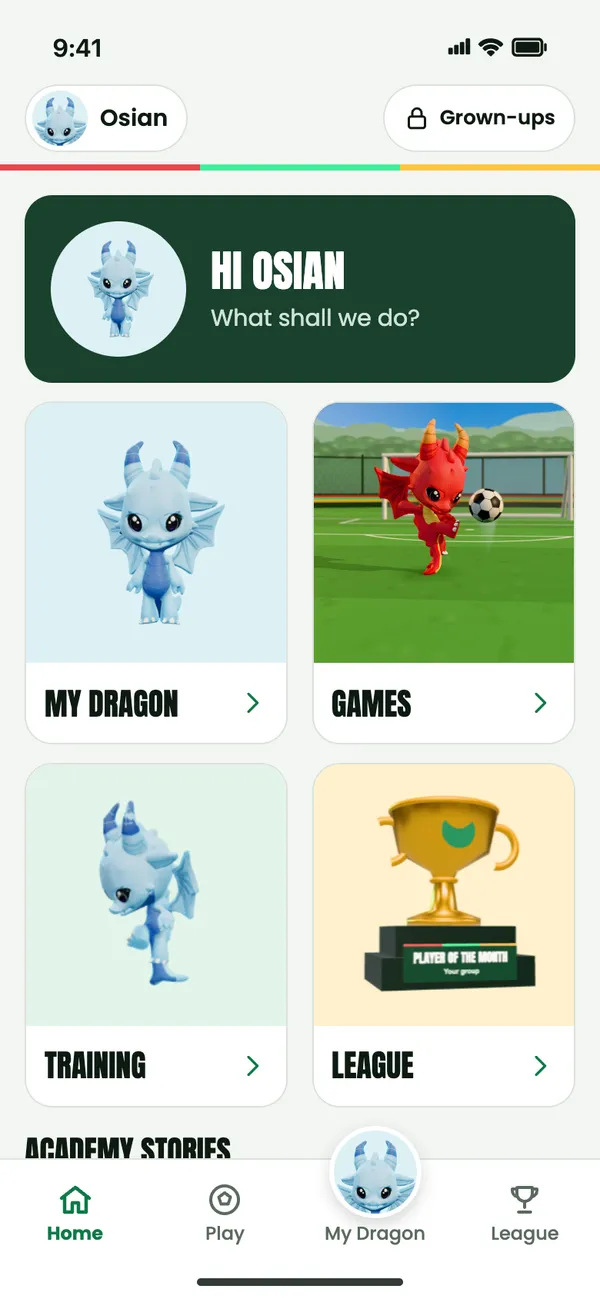
When a child signs in with a player login of their own, the app shows them their dragon and the fun parts, and none of the grown-up parts.
They can
- Look after their dragon on My Dragon, Customise and Explore
- See their medals and trophies, and what’s next
- Play the eight Stadium games
- Check the League and Learn
- Make and watch Stories
They don’t see
- The Inbox or any messages
- The Premium page or any buy button
- Membership, plans or join links
Premium items show a Premium label, and a locked one says “Part of Premium”. It’s never a button. Links that leave the app ask a grown-up question first. From 8pm until 7am the cave goes dark for bedtime.
Dragon mode
Hand the phone over.
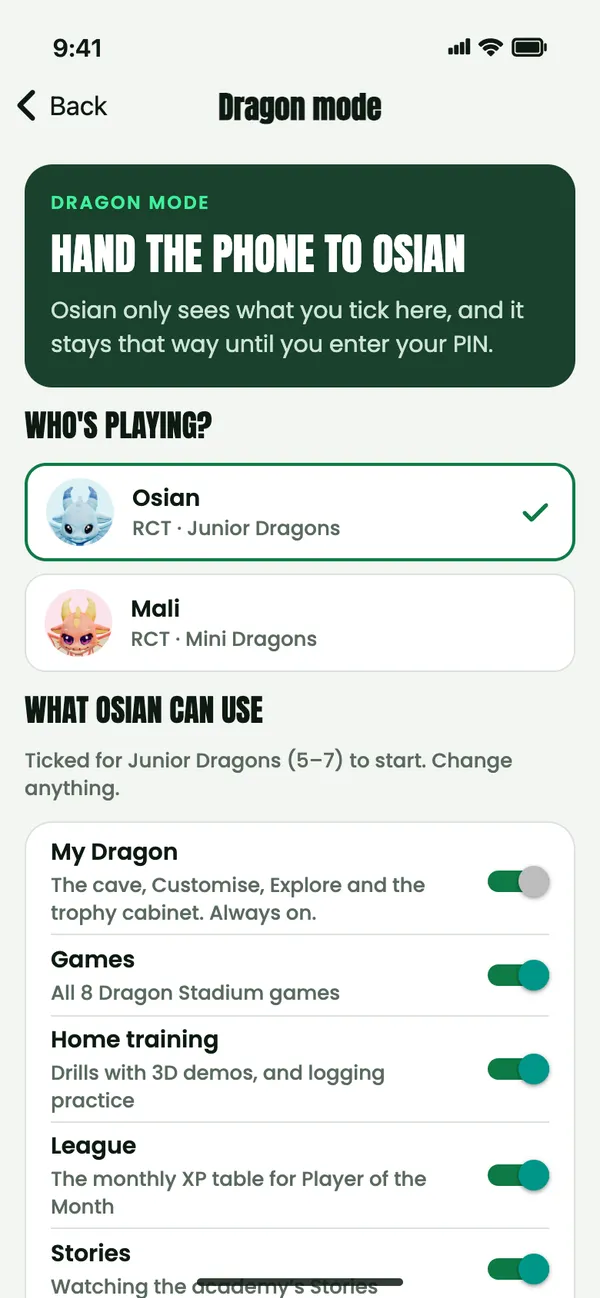
Dragon mode turns your phone into a kids’ tablet for one child. They only see what you allow, it stays that way if the app restarts, and your PIN is the only way out. Set it up in Profile.
Choose what’s allowed
Each age group starts with sensible defaults. Every age gets My Dragon, all 8 games and the home training drills; for Minis they come as big picture tiles. Juniors add the League and watching Stories, and Advanced Dragons add Learn’s challenge decks. Change any of it. Posting Stories stays off unless you switch it on.
Set a grown-up PIN
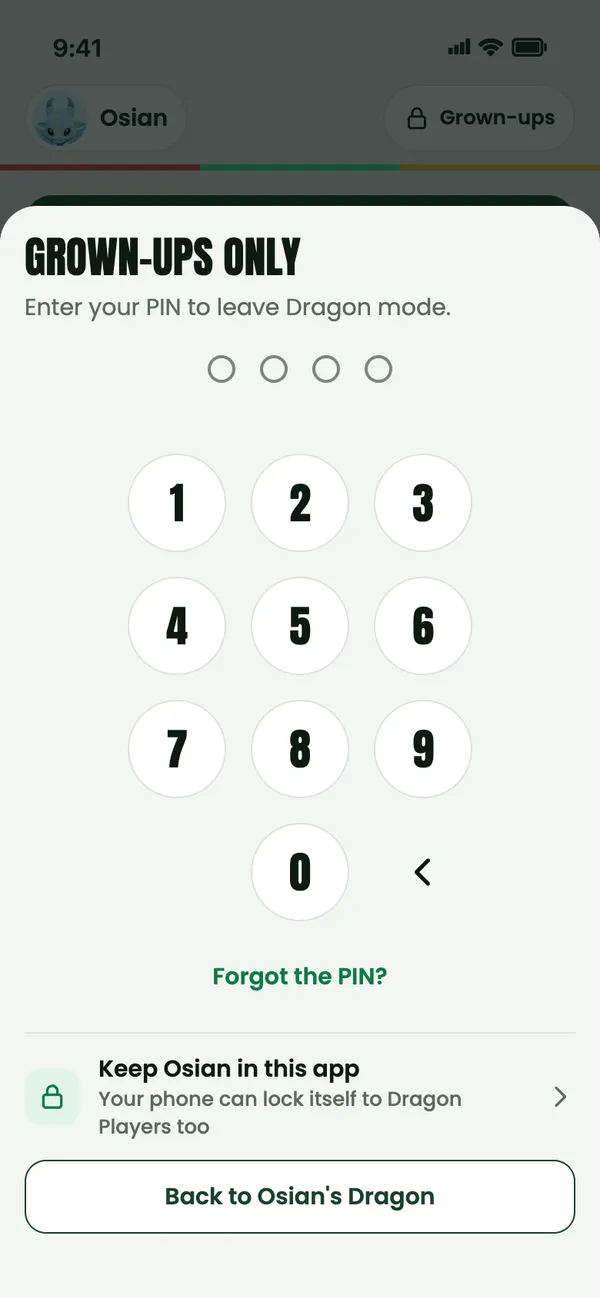
Four numbers your child doesn’t know. It stays on your phone, and you need it to leave Dragon mode or add time. After several wrong tries there’s a wait.
Add a daily limit, if you like
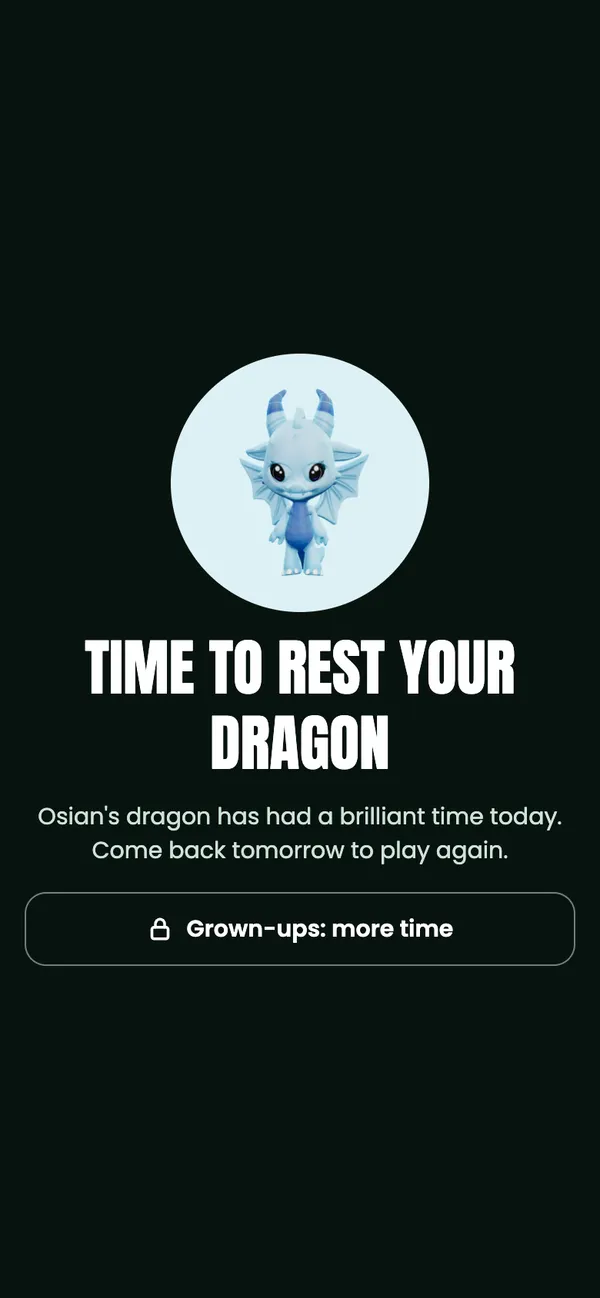
Off, 15, 30 or 60 minutes a day. When time’s up, their dragon rests until tomorrow, or a grown-up adds 15 minutes with the PIN.
Never in Dragon mode
- The Inbox and messages
- Your profile and account
- Membership, payments and Premium
- Settings, availability and the calendar
- AI Coach
- Links out of the app
Notifications wait for you. To keep them in the app too, Dragon mode explains the phone’s own lock: Guided Access on iPhone and app pinning on Android.
- You choose
- They play
- Time’s up
- Only your PIN gets out
Your account
One parent account for the whole family, on your phone or in your browser.
Siblings
Link brothers and sisters to the same parent account, then switch between them by tapping your child’s name at the top of the screen.
Profile
Your academy membership, your Dragons, privacy for each child, Dragon mode, anyone you’ve blocked, your password, and deleting the account.
Reporting
Press and hold a message to report it or block the sender, or use the flag to report a concern about a whole conversation.
Privacy notice
How Dragon Academy handles your family’s information is in the privacy notice (opens in a new tab).